

@HOSTADVICE Ratings

@TRUSTPILOT Ratings

@GOOGLE Ratings
@HOSTADVICE Ratings
@TRUSTPILOT Ratings
@GOOGLE Ratings
Step-by-step guide on using the tool.

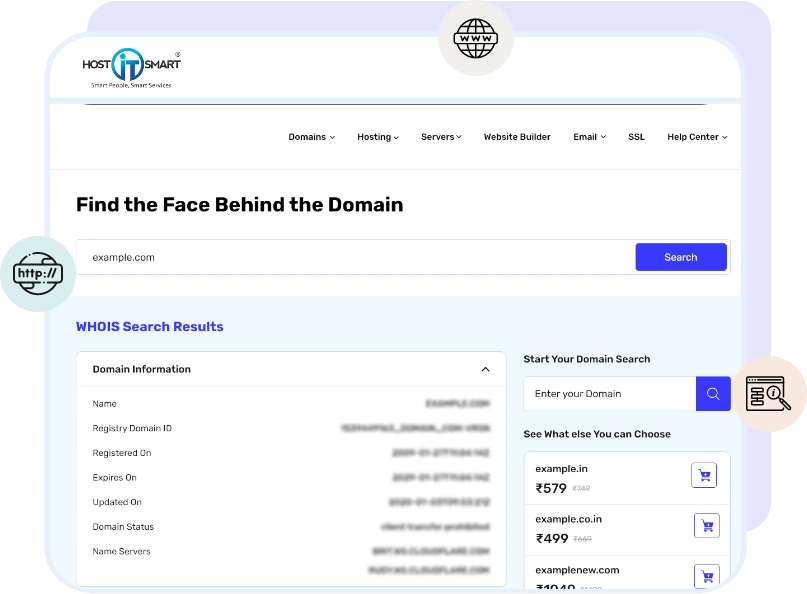
Our WHOIS tool digs through the data in seconds! Instantly access the latest record with all the key info, owner, dates, status, and more.
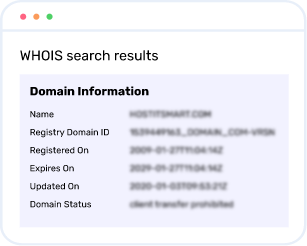
Find out who’s behind the domain, when it was registered, and when it’s up for renewal. All the domain details are delivered instantly and clearly!
Even if your first choice is taken!
Find smart & catchy alternatives that still align with your brand.
The WHOIS database is a public record. This record stores information about who owns a domain name, when it was registered, when it expires, and other related details.
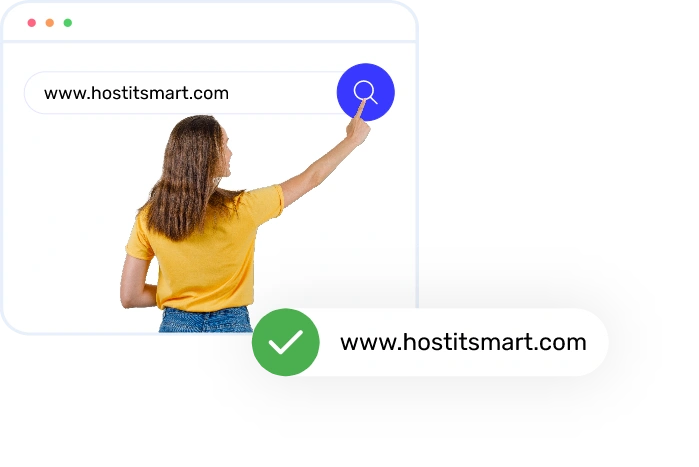
Checking the status of your preferred domain using the WHOIS lookup tool is a straightforward process. Just type the domain name you want to check into the WHOIS Lookup Tool, and it will instantly show you who owns it, when it was registered, its status, and other important details.
To update your WHOIS information, perform the following steps:
1. Log in to your domain registrar’s account.
2. Go to your domain settings.
3. Edit the contact or WHOIS details.
4. Save the changes to update the record.
DNS lookup shows where a domain points. It shows details like its IP address and server info.
WHOIS lookup tells you who owns the domain and its registration details.
In short, DNS = where it goes, WHOIS = who owns it.
You can check who owns a domain by using our easy-to-use WHOIS lookup tool. Just type the domain name in the search bar and press Enter. The result will show the owner's details, registration date, and contact info (if it's public).
WHOIS data, in most cases, is accurate. But it also depends on what information the original domain owner provided during registration. Some users also use privacy protection or outdated information (may be for security reasons). Hence, details like name or contact may not always be visible or accurate.
Only a WHOIS database can identify who owns a domain, check its availability, and offer the owner’s contact information. This database maintains transparency, security, and accountability on the internet.
You can protect your privacy in the WHOIS database by enabling WHOIS Privacy Protection (also called Domain Privacy). It hides your details and shows generic contact info instead.
No, it is not essential for your domain to expire for its transfer. You can transfer it anytime, with the condition that it is more than 60 days old and not nearing its expiry. Taking these precautions will protect you from unnecessary domain transfer complications.
If your domain has expired with your current Domain Registrar and you’ve already renewed it with them, then you should wait for 45 days from the previous expiry date before transferring. It will not add one more year to your domain name, and you will lose out on the Renewal fees paid to the older Registrar.
Yes, domain privacy costs a little extra, but it's totally worth it. Domain privacy is important as it keeps your personal domain registration details hidden and safe from the general public.
In most cases, domain transfers take 5 to 7 days to complete. The completion of this process also depends on your current registrar, domain extension, and how quickly you approve the transfer.
Yes, you can transfer your domain to us whenever you want. As per ICANN guidelines, your domain must be at least 60 days old and unlocked. If your domain fulfills this criterion, you can begin the transfer process using your authorization code. Our support team will be delighted to help complete the process successfully.

If you’re still searching for reliable hosting, I’d strongly recommend Host IT Smart. They make operations smoother, support better, and make business easier. Their name truly reflects their service smart in every sense.

We have been with Host IT Smart for 8 years, and their services have been rock solid. If you’re still thinking about it, go ahead. It’s one of the most dependable choices you will make for your hosting needs.

My only suggestion is don’t wait for your tech problems to grow. Switch to Host IT Smart for their powerful yet affordable hosting solutions.Along with their products, you will get reliable support, scalable solutions, and guaranteed peace of mind that lets you do what you are best at in your business.

A team that truly understands your needs and offers services that actually deliver! Don’t think much - Choose Host IT Smart right away. They’re smart people providing smart services.